Halloween 2026 · photo try-on
AI Halloween Costume Generator
Upload one photo to the AI Halloween costume generator, pick a costume and see yourself wearing it. Your face, and the makeup you already have on, stay yours.
- 40 costumes: classic monsters, characters, couples, groups and pets
- A failed photo costs nothing: its credits go back automatically.
- Credits last one year, with no subscription.
- Your uploaded photo is deleted after 7 days.
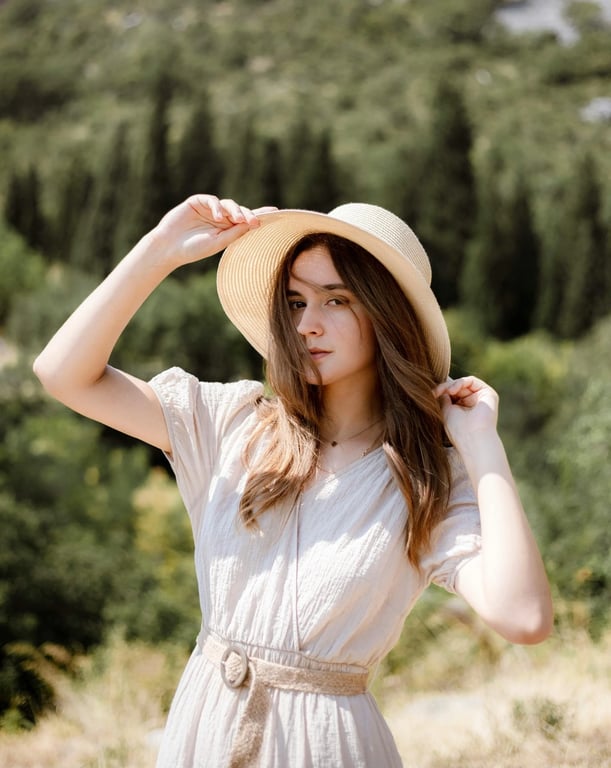
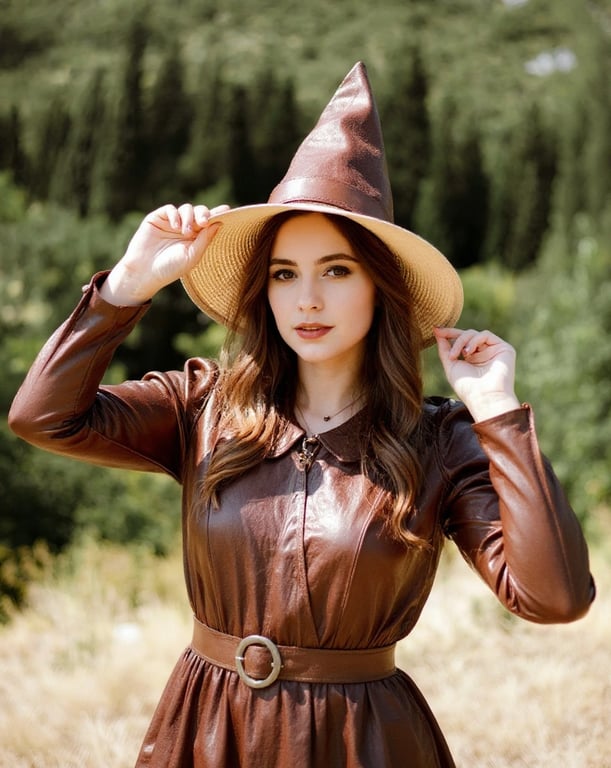
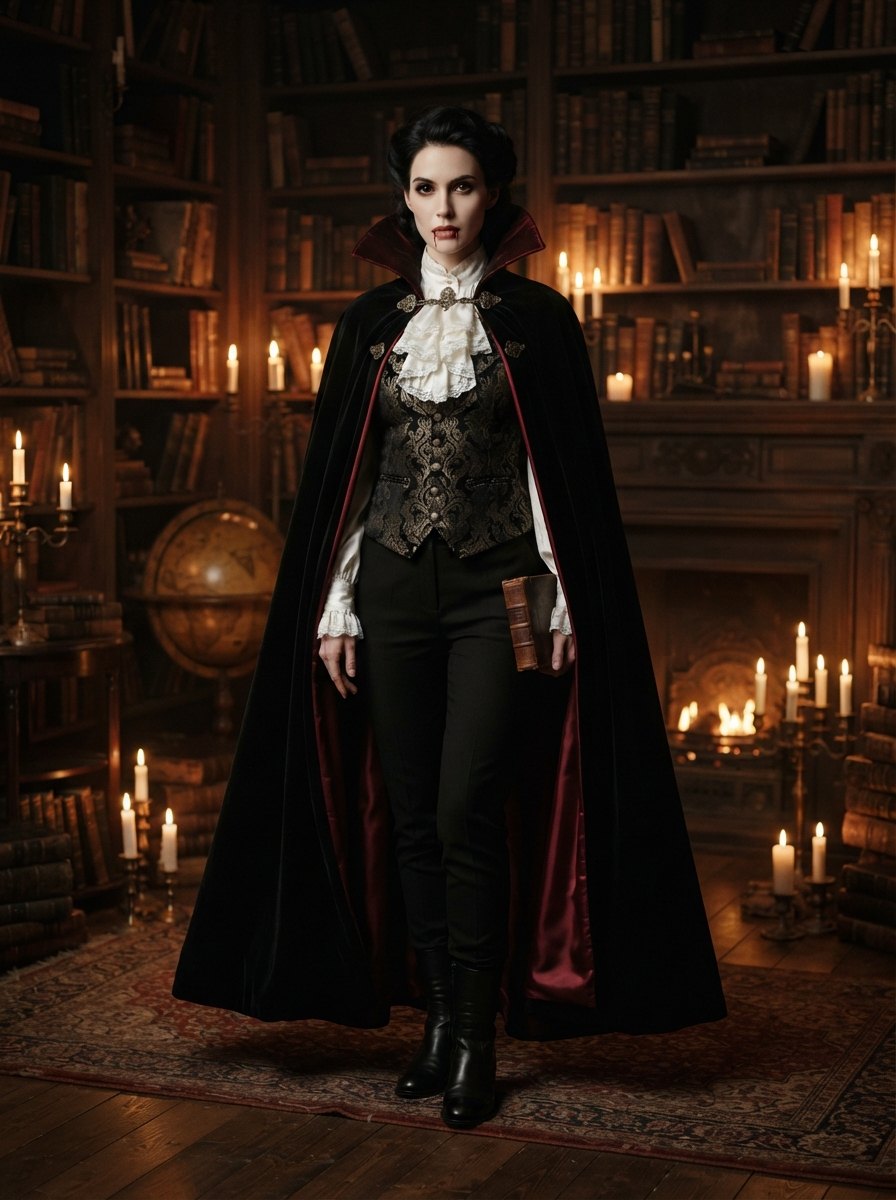 Example resultYou as Vampire
Check out with your email, no account needed. We email you a private link.
The short answer
An AI Halloween costume generator turns one photo of you into a picture of you in a costume. Here you upload a clear photo, pick one of 40 costumes and pay from $0.99 for 2 photos. The AI Halloween costume generator dresses you in the costume and keeps your face and makeup from the original photo, so you can compare costumes before you buy, rent or sew one.
What is an AI Halloween costume generator?
An AI Halloween costume generator is a photo tool that shows you in a costume you are not wearing yet. People use an AI Halloween costume generator to pick a costume before October 31, to plan a couple or group theme with friends, or to post a costume picture when they are not dressing up this year.
Photo try-on works because current image models can change clothing in a photo while keeping the face recognisable. Other names for the same thing are AI costume generator, Halloween costume AI and "see yourself in a costume". If you would rather try free chat tools first, the step-by-step guide below shows how.
Made from 1 photo
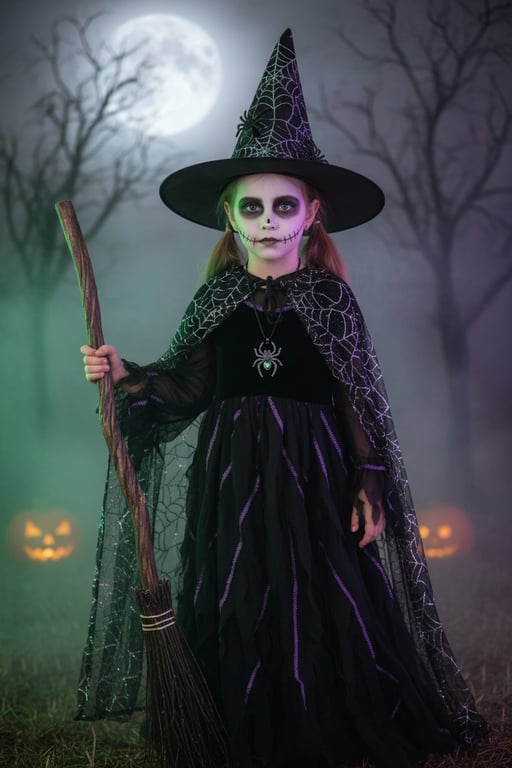
Each pair shows the photo that was uploaded and the costume photo made from it with Keep my makeup switched on. The people in these samples are AI-generated models, not customers.
 Uploaded
 Result
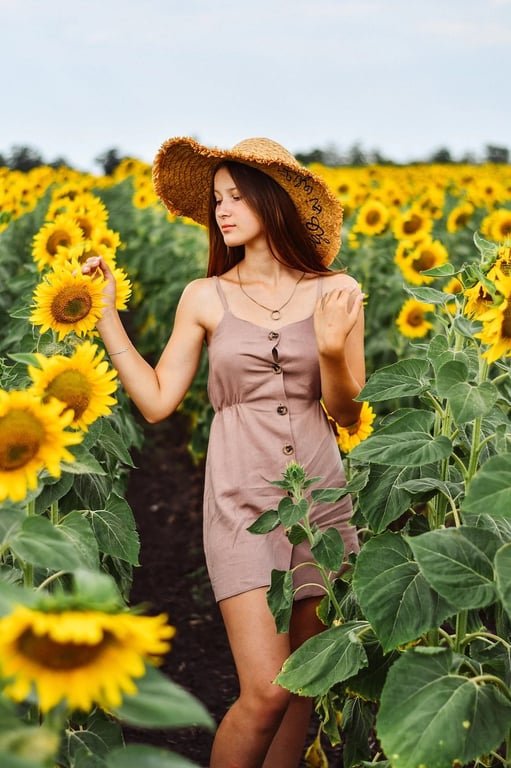 Uploaded
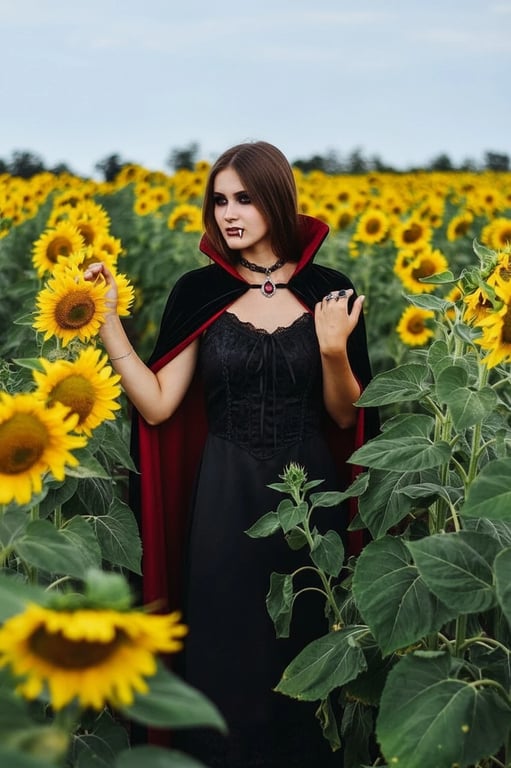 Result
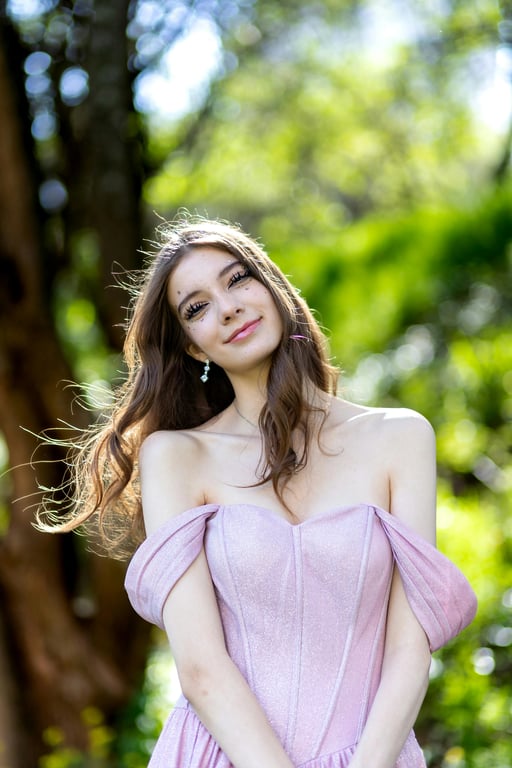 Uploaded
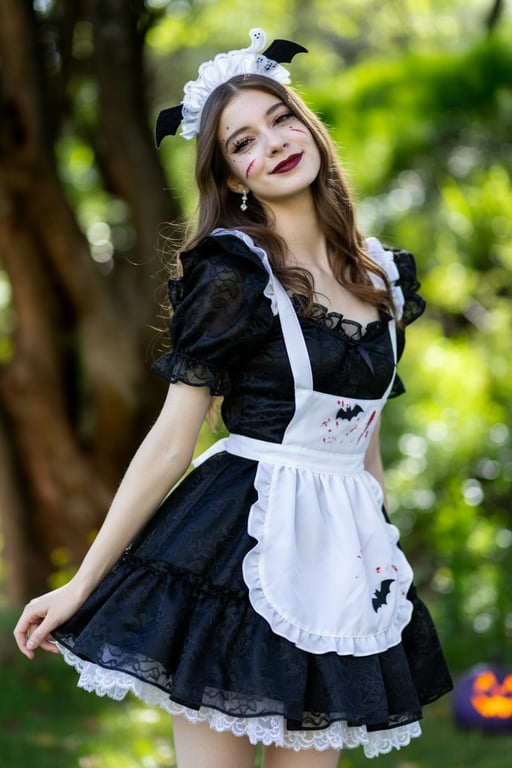 Result
How the AI Halloween costume generator works
Upload one photo
JPG, PNG or WebP up to 10 MB. Pick a clear photo where the face is visible.
Pick a costume
Choose from 40 costumes. Keep my makeup is on by default.
Pay with your email
No account needed. Signed-in buyers with credits skip checkout.
Get your costume photo
We email a private link. Download the JPG and share it anywhere.
What you get
One costume photo each time you press the button. Try a different costume on the same photo as often as your credits allow.
- A failed photo costs nothing: its credits go back automatically.
- Credits last one year, with no subscription.
- Your uploaded photo is deleted after 7 days.
| You upload | 1 photo: one person, a couple, a group or a pet, depending on the costume |
|---|---|
| You get | 1 costume photo in the same shape as your upload, about 1024 px on the long side, JPG |
| Costumes | 40 costumes in 8 groups: classic, spooky, characters, creative, easy, couples, groups and pets |
| Face and makeup | Kept from your photo with Keep my makeup on; switch it off to add costume face paint |
| Price | 5 credits per photo, from $0.25 a photo |
| Uploaded photo | Deleted after 7 days |
| Costume photo | Kept 7 days without an account, one year with one |
Pricing
One-time credit packs for the AI Halloween costume generator. No subscription. Credits last one year, and a failed photo gives its credits back. Compare packs.
Try
$0.99
Try two costume looks before choosing a bigger pack.
Trick
$4.99
Try a handful of costumes and pick your favourite.
Treat
Save 33%$9.99
Try every classic monster, or plan a couple costume.
Monster Bash
Save 50%$19.99
For a group, a family or a whole party of photos.
Photos that work best in the AI Halloween costume generator
Face the camera
Look straight at the lens. A side profile gives the AI less of your face to keep.
Show your shoulders
A waist-up or full-body photo gives the costume room. A tight face crop gets only a collar.
Use even light
Daylight from a window beats a flash or a dark room, and shows your makeup as it is.
Match the costume
A couple costume needs a photo of both of you; a pet costume needs your pet in the frame.
Makeup already on?
Leave Keep my makeup on and the AI Halloween costume generator keeps it exactly as you did it.
Skip heavy filters
Beauty filters, stickers and blur make the face harder to keep.
Free tools or the AI Halloween costume generator
You can make a costume photo with free chat tools if you are patient with prompts, and our guide has the prompts. Here is the honest trade-off.
| Yourself with a free tool | AI Halloween Costume | |
|---|---|---|
| Cost | Free within the tool’s daily image limits | From $0.99 for 2 photos |
| Time | Writing, testing and fixing prompts | Pick a costume and press one button |
| Skill needed | Prompt writing and some patience | None |
| Face and makeup | Often changed or beautified by the model | Kept from your photo by default |
| Control | Anything you can describe in words | 40 tested costumes |
Questions
How much does an AI Halloween costume photo cost here?
Packs start at $0.99 for 2 photos, which is $0.50 a photo. Each costume photo uses 5 credits. Credits last one year and there is no subscription.
Will the costume photo still look like me?
The AI Halloween costume generator is told to keep your face, skin tone and expression from the photo you upload. A clear, front-facing photo in even light gives the closest match.
Will it keep my makeup?
Yes, with Keep my makeup on, which is the default. Switch it off if you want the costume to add face paint, such as a skull or zombie look.
What photo should I upload?
JPG, PNG or WebP up to 10 MB, with every face visible. For single costumes use a photo of one person; for couple, group and pet costumes use a photo with everyone in it.
Can I use a photo of someone else?
Only if you have their permission. You confirm this before each upload. For a child, a parent or guardian must agree.
What happens to my photo?
Your uploaded photo is deleted after 7 days. Costume photos stay 7 days without an account and one year with one. We do not use your photos to train models.
Can I post the result on Instagram or TikTok?
Yes. The costume photo is yours to share. Our costumes are generic designs, not licensed movie or game characters.
What if a costume photo fails?
A failed photo costs nothing. Its credits go back to your balance automatically and you can try again with a different photo.
Do I need an account?
No. Check out with your email and we send you a private link to your photo. You can sign in later with a code sent to the same email.
Can I get a refund?
Yes, an unused pack is refunded in full within 30 days of purchase. See the refund policy for details.